How to manually add a trade to the journal
Learn how to manually add a trade in Plancana when auto-sync isn’t available.
Written By Plancana Team
Last updated About 1 year ago
If your broker doesn’t support auto-sync yet or you just want to log a trade manually, Plancana makes it easy to add trades by hand. Here’s how to do it step by step:
🧭 Step-by-Step Guide
1. Open the Plancana App
Make sure you’re logged in to your account.
2. Go to the “Journal” Tab
Tap on the “Journal” section in the bottom menu — this is where all your trades are stored.
3. Tap “+ Add Trade”
You’ll see a purple “+” button (usually at the top-right or bottom-right corner of the screen). Tap it to start entering a new trade.
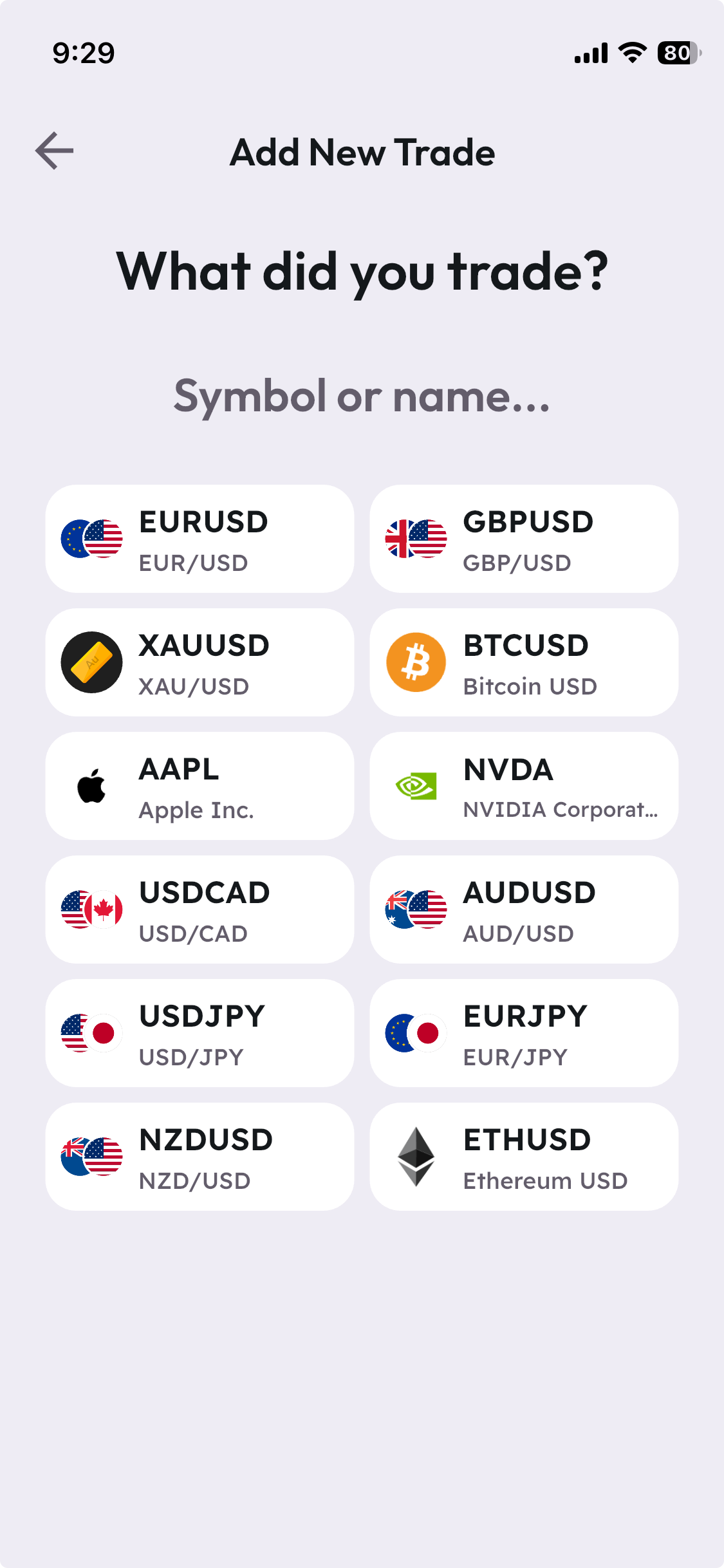
4. Choose Asset (Symbol)
In the trade entry form, you’ll be prompted to select the instrument or symbol you traded (e.g., EURUSD, TSLA, BTCUSD).
Plancana offers a comprehensive search with a wide range of symbols: forex pairs, cryptocurrencies, stocks, indexes, and more.
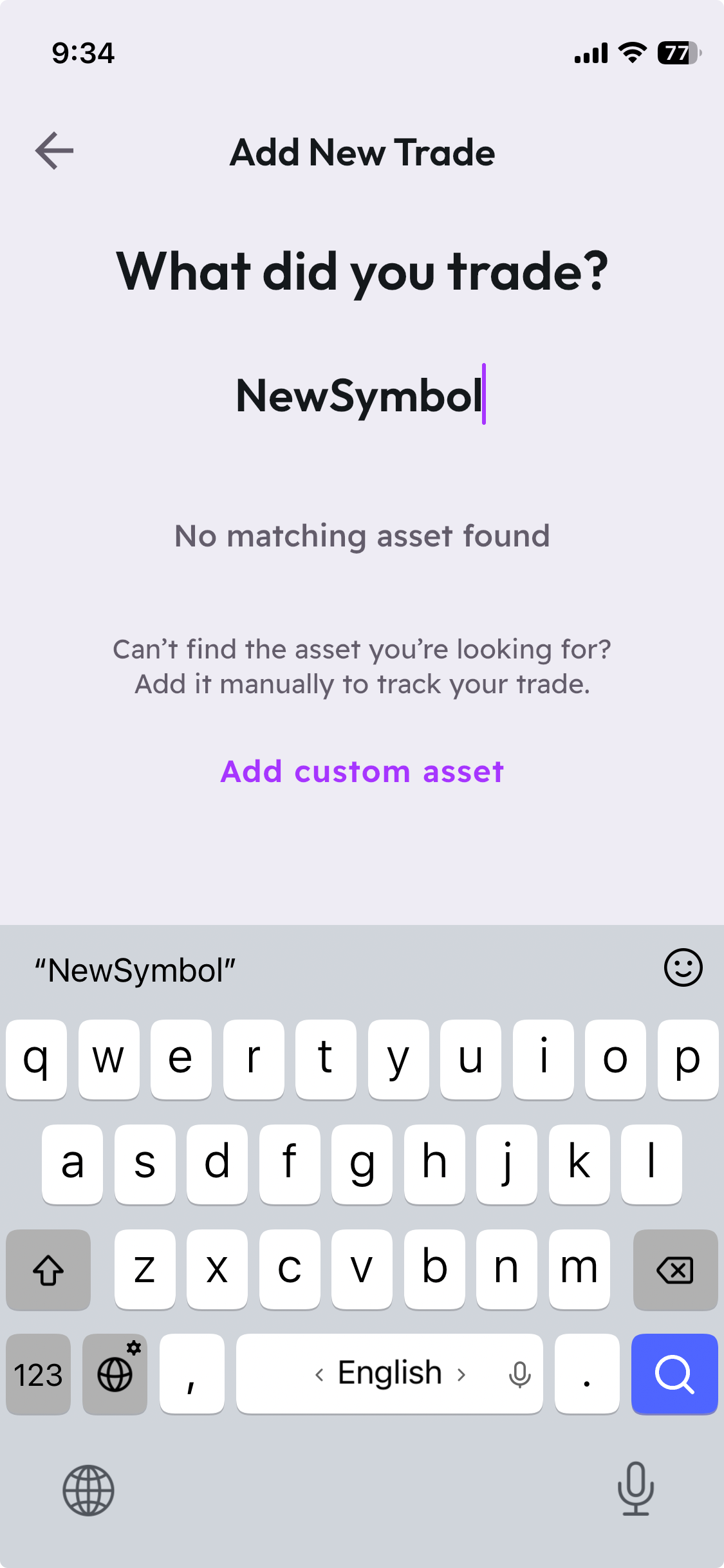
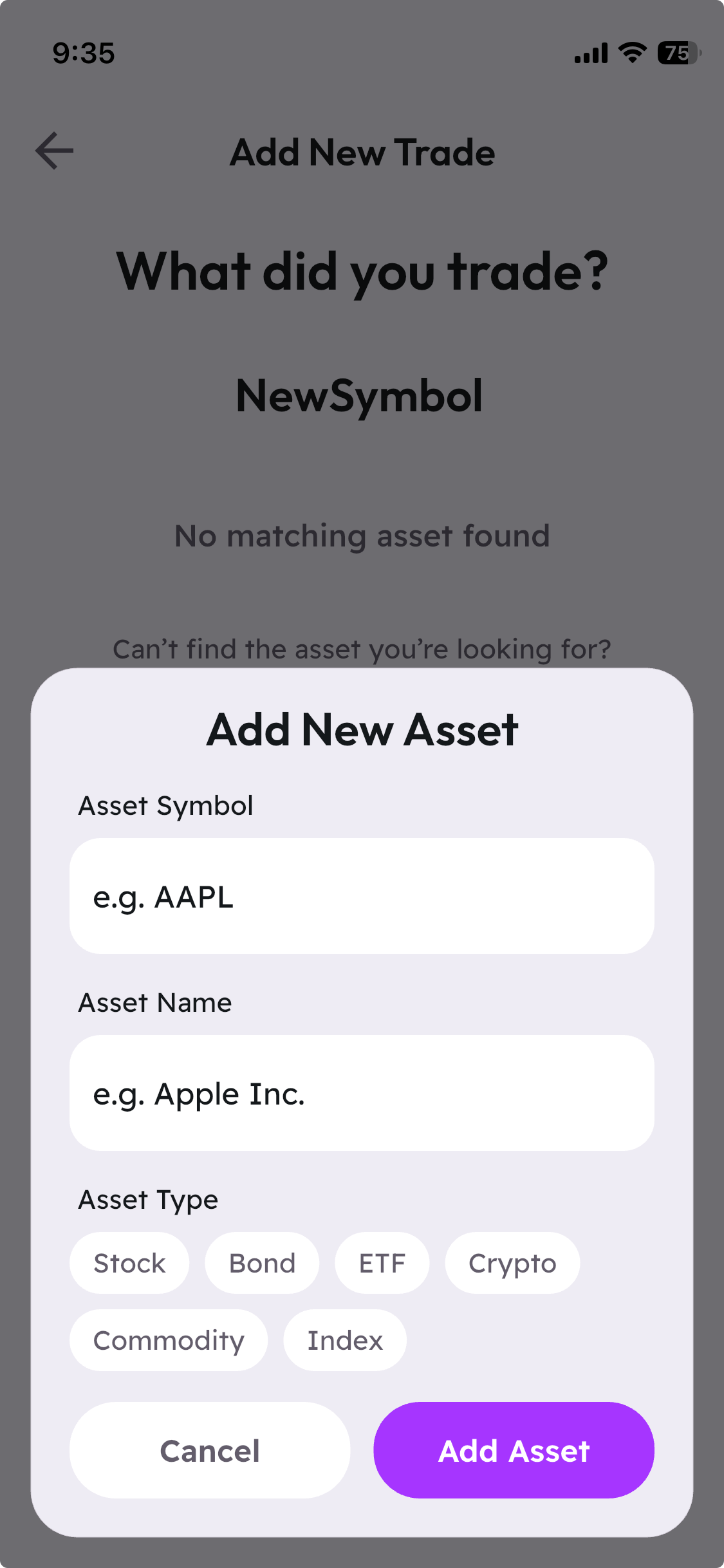
If you can’t find your desired symbol, use the “Add custom asset” feature to enter it manually—ensuring your journal is always complete and tailored to your trading activity.
5. Enter Your Trade Details
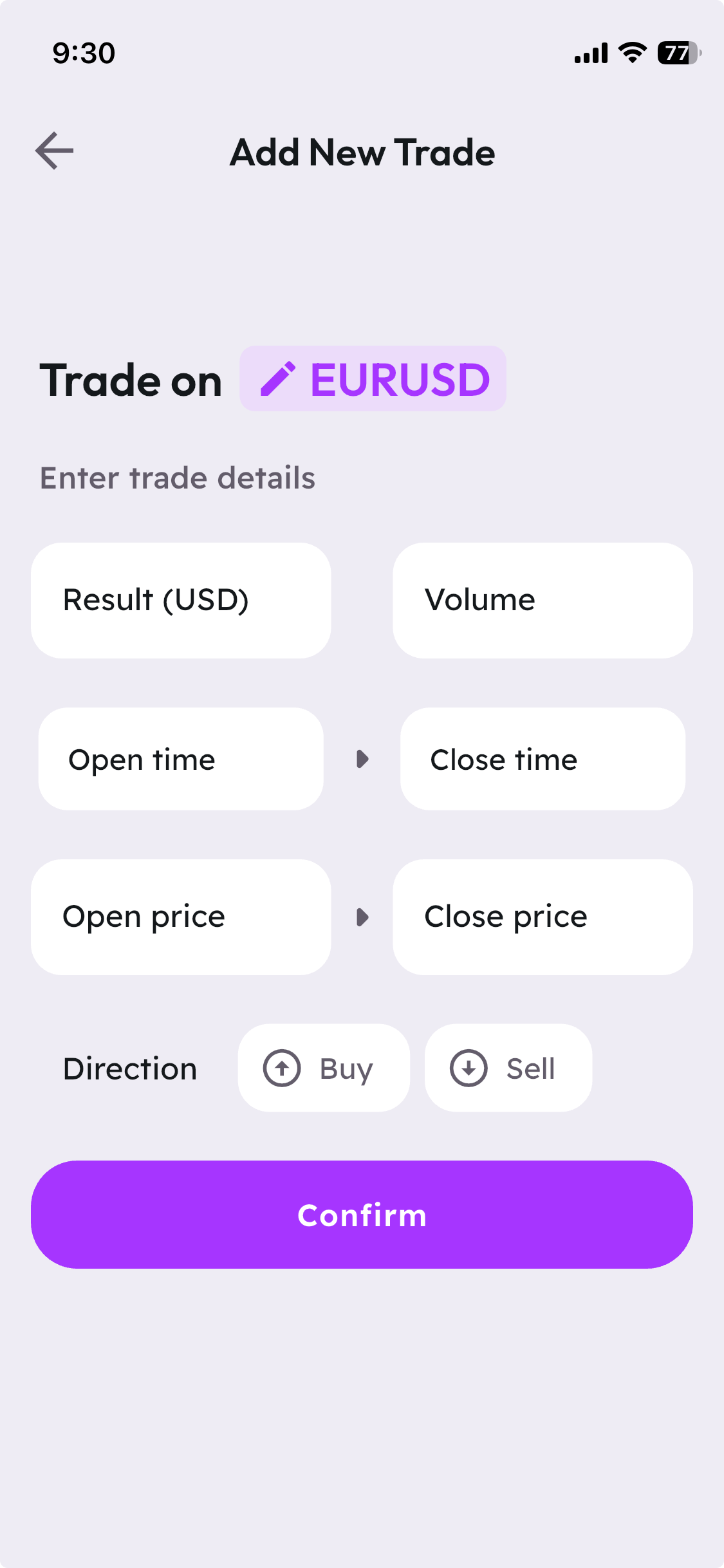
Fill in the trade fields:
Result: The outcome or profit/loss from the trade
Volume (Lots / Shares / Units)
Date & Time – When the trade was opened and closed
Entry Price – The price you entered the trade
Exit Price – The price you closed the trade
Direction – Buy or Sell
5. Save the Trade
Once you're done, tap “Confirm” (or the checkmark icon). That’s it — your trade is now logged!
📊 What Happens Next?
Your trade will appear in the Journal and be included in Stats and Insights.
After saving, you'll be automatically redirected to the Trade Review screen — where you can reflect on the trade (we’ll cover this in another article).
To receive personalized tips from Plancana’s AI Mentor, you’ll need to review at least 10 trades — the AI Mentor is based on reviewed trades, not just added ones.
🔧 Need Help?
If you’re confused about any field or the process itself:
Reach out via the in-app chat or email us at hello@plancana.com
Or leave a suggestion in our Feedback Portal
Let us know if there’s anything we can make easier! ✨
Plancana is built to help you understand your trading habits and improve over time — one trade at a time.
Was this helpful?
Still need help? Share an idea